
In 2026, Pinterest is smarter than ever. It doesn’t just show your Pins to people because you posted them. It acts like a strict editor.
When you hit publish, a computer system scans your Pin instantly. It looks at the picture, the words, and the link to decide if it is High Quality or Low Quality. If your Pin doesn’t pass this test, Pinterest won’t show it to anyone.
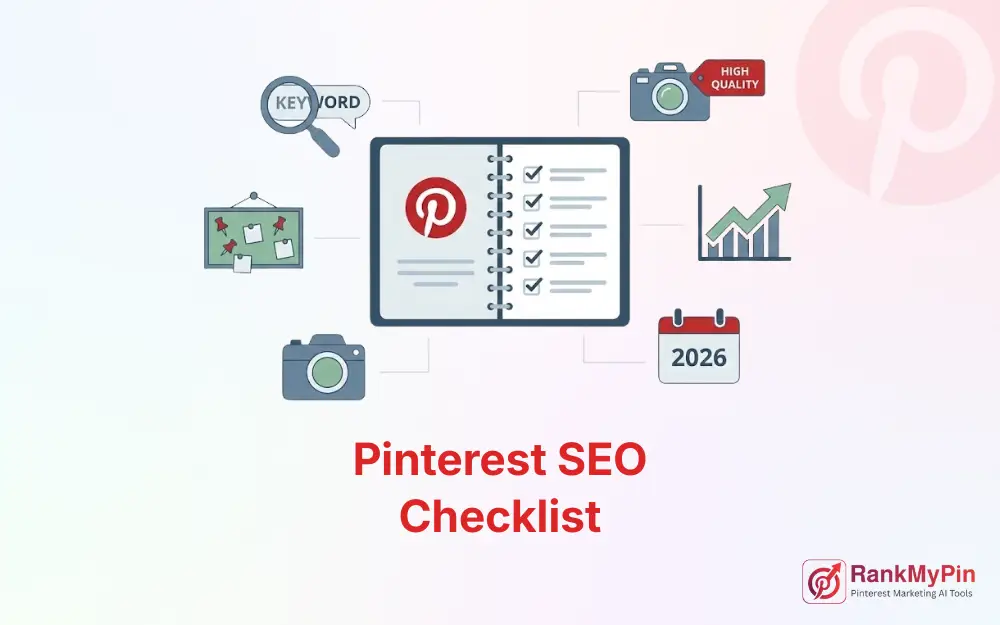
This isn’t just a list of design tips. This is a technical Pinterest SEO Checklist. Use this to check your work before you post. It helps you think like the algorithm so your content actually gets seen.
Table of Contents
Quick Takeaways: The 2026 Rules
- Speed Matters: If people don’t interact with your Pin in the first 24 hours, Pinterest stops showing it.
- Pictures First: The AI looks at your image before it reads your text. Your picture must clearly show what your keyword describes.
- Freshness Counts: Pinterest scans your image file. If you upload the exact same file twice, it counts as a duplicate and gets fewer views.
- Board Choice: Where you save your Pin matters. Saving a specific Pin to a messy, general board hurts your ranking.
1. The Pinterest Freshness Check
In 2026, Pinterest wants new content. It uses a freshness score to decide how many people see your Pin.
Understanding the Digital Fingerprint
When you upload an image, Pinterest creates a digital ID for it (called a hash).
- Duplicate ID: If you upload a file that matches an old ID, Pinterest sees it as old news. It won’t show it to many people.
- Unique ID: To get a boost, you need to change the image enough to create a new, fresh ID.
The Freshness Checklist
Before you post, ask yourself:
- Is this a Tier 1 Pin? (Best) A new link, a new image, and a new description.
- Is this a Tier 2 Pin? (Good) The same link, but a new-looking image (different angle, zoom, or text).
- Is this a Tier 3 Pin? (Bad) The exact same image file you posted last week.
Tip: Don’t just rename your file from “image1.jpg” to “image2.jpg”. That doesn’t work. You must change the actual picture (crop it, add a filter, or move the text) to make it fresh.
2. The Visual Check
Pinterest is a Visual Search Engine. It uses a camera tool (Lens technology) to read the objects and colors in your image.
Does the Image Match the Keyword?
Your image is your main keyword. If you want to rank for Home Office, the computer needs to see a desk and a chair in the photo.
- The Test: Look at your image without the text. Would a stranger know what the topic is?
- The Risk: If you use a generic photo (like a sunset) for a specific topic (like Budget Tips), the AI gets confused. It will flag your Pin as Low Relevance and hide it.
Can the AI Read Your Text?
Pinterest uses Optical Character Recognition (OCR) to read the text you type on top of your image.
- Font Check: Is your font scripty or hard to read? The computer struggles with cursive. Use bold, simple fonts for your main keywords.
- Contrast Check: Is the text standing out? If you put white text on a light background, the scanner might miss it.
The Rule: Make sure your main keyword is in your Title and written on your image. This proves to Pinterest that your Pin is relevant.
3. The Language Check
Pictures grab attention, but words confirm the topic. The 2026 algorithm reads your title and description to understand the details.
Is the Intent Clear?
Pinterest hates confusion. A Pin that tries to be a recipe, a workout, and a fashion tip all at once will fail.
- The Test: Can you describe your Pin in three words? (e.g., Small Closet Organization). If you need a whole paragraph to explain it, it’s too complicated.
- Match the User:
- If they search How to, give them a list or a tutorial.
- If they search Best, give them a product photo and a review.
Write Natural Sentences
Don’t just list keywords like a robot (Vegan Food Vegan Dinner Yummy).
- The Fix: Write real sentences. Here are easy Vegan Recipes for beginners.
- Why: This helps the computer understand how the words relate to each other.
Don’t Forget Alt Text
In 2026, Alt Text is a major ranking factor. It helps people with visual impairments, but it also tells the search engine what is in the photo.
- To Do: Fill out the Alt Text box. Describe the image simply.
- Example: A photo of a wooden desk with a laptop and a green plant.
4. The Board Check
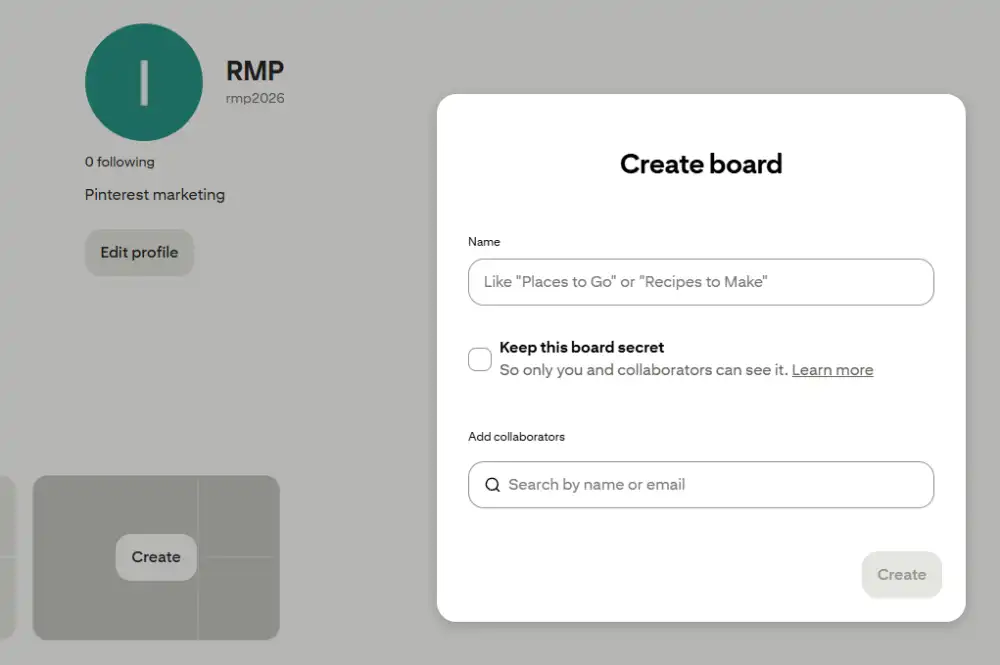
Think of your Boards as folders. The folder you choose tells Pinterest what the Pin is about.
Choose the Right Home
When a Pin is new, Pinterest looks at the Board to decide who should see it.
- The Mistake: Pinning a Keto Recipe to a generic Food board.
- The Fix: Pin it to a specific Keto Dinner Ideas board. This tells Pinterest exactly who is interested in this content.
Keep Boards Clean
- The Pollution Risk: If you have a Marketing board, but you save a cat meme to it, you confuse the computer.
- The Result: Pinterest won’t trust that board anymore, and your future Pins will get fewer views.
Rule: The first board you save a Pin to must be the most specific board you have.
5. The Link Check
Pinterest wants to send users to a good website. It checks your link before it ranks your Pin.
Do the Pin and Page Match?
If a user clicks your Pin and then immediately leaves your site (the Bounce), Pinterest creates a penalty.
- The Test: Does the headline on your website match the headline on your Pin?
- The Look: Does the image on your website look similar to the Pin? If they look totally different, users will leave.
Is It Fast and Mobile-Friendly?
Most people use Pinterest on their phones.
- The Pop-Up Check: If your site has giant pop-ups that cover the content right away, Pinterest will lower your ranking.
- Speed Check: Does the page load in under 3 seconds? If it’s slow, Pinterest assumes it is a bad experience.
6. The Final Scorecard
Before you click publish, run your Pin through this final Pinterest SEO Checklist. If you can’t check every box, fix it before you post.
| Readiness Signal | Validation Question | Pass/Fail |
| Visuals | Does the picture clearly show the topic? | [ ] |
| Text Readability | Is the text on the image easy to read on a phone? | [ ] |
| Freshness | Is this a unique image file (not just a re-upload)? | [ ] |
| Clear Topic | Does the Title match what the user is looking for? | [ ] |
| Alt Text | Did you fill out the Alt Text description? | [ ] |
| Board Choice | Are you saving it to a specific, clean board? | [ ] |
| Link Quality | Does the website load fast on a mobile phone? | [ ] |
Frequently Asked Questions (Pinterest SEO Checklist)
How to optimize SEO for Pinterest?
To optimize SEO for Pinterest, ensure your Pin Title includes a high-volume search term, your description uses natural language with relevant keywords, and your image follows the 2:3 vertical ratio. Crucially, save the pin to a highly relevant Board, as the board’s category helps Pinterest index your content correctly.
What is the optimal aspect ratio for a standard Pinterest pin as of 2026?
The optimal aspect ratio for a Pinterest pin in 2026 is 2:3, or 1000 pixels wide by 1500 pixels tall. This size performs best on mobile screens. Pins taller than this (like 1:2.1 giraffe pins) may be truncated in the feed, reducing engagement.
How to get more views on Pinterest in 2026?
To get more views, prioritize the Fresh Pin strategy: publish new, unique images daily rather than repinning old content. Combine this with consistency (1-5 pins per day), high-contrast text overlays for mobile readability, and keyword-rich titles that match specific user queries.
How many pins should I post per day in 2026?
In 2026, quality overrides quantity. The recommended frequency is 1 to 5 high-quality, fresh pins per day. Posting excessively (e.g., 50 pins/day) can trigger spam filters (Pinterest Jail) and lower your account’s overall reach.
How do I get my pins noticed on Pinterest?
To get noticed, use Positive Disruption: analyze the search results for your keyword and design a pin that visually contrasts with the competition. (e.g., use a dark background if everyone else uses white). Ensure your headline is large, legible, and promises a specific benefit.
What does a rich pin look like?
A Rich Pin is an enhanced pin that automatically pulls metadata from your website. It displays extra information above and below the image, such as the article headline, author name, recipe ingredients, or product price/availability. This data is bolded and adds credibility, increasing click-through rates.
Conclusion
In 2026, Pinterest SEO isn’t about luck. It’s about preparation. Every time you publish a Pin, you are asking the algorithm to trust you. If you give it blurry photos, confusing words, or messy boards, it won’t trust you.
By using this Pinterest SEO Checklist, you make it easy for the algorithm to say Yes. You are giving it a high-quality Pin that is easy to categorize and safe to show to users.
Don’t just guess. Audit your account and keywords before wasting time on low-impact Pins.